A place for every list
Shopping, household tasks, errands or personal projects. Keep different plans separate and check each list’s progress.
A CLEARER DAY STARTS HERE
Lists for you. Lists to share. Bring tasks, details and reminders together in a space that keeps your day in order.
For iPhone · Lists, agenda and reminders
01 / MORE ORDER, LESS FUSS
Small things can take up a lot of space in your mind. Trelist helps you write them down, set a date and share them with the people involved.
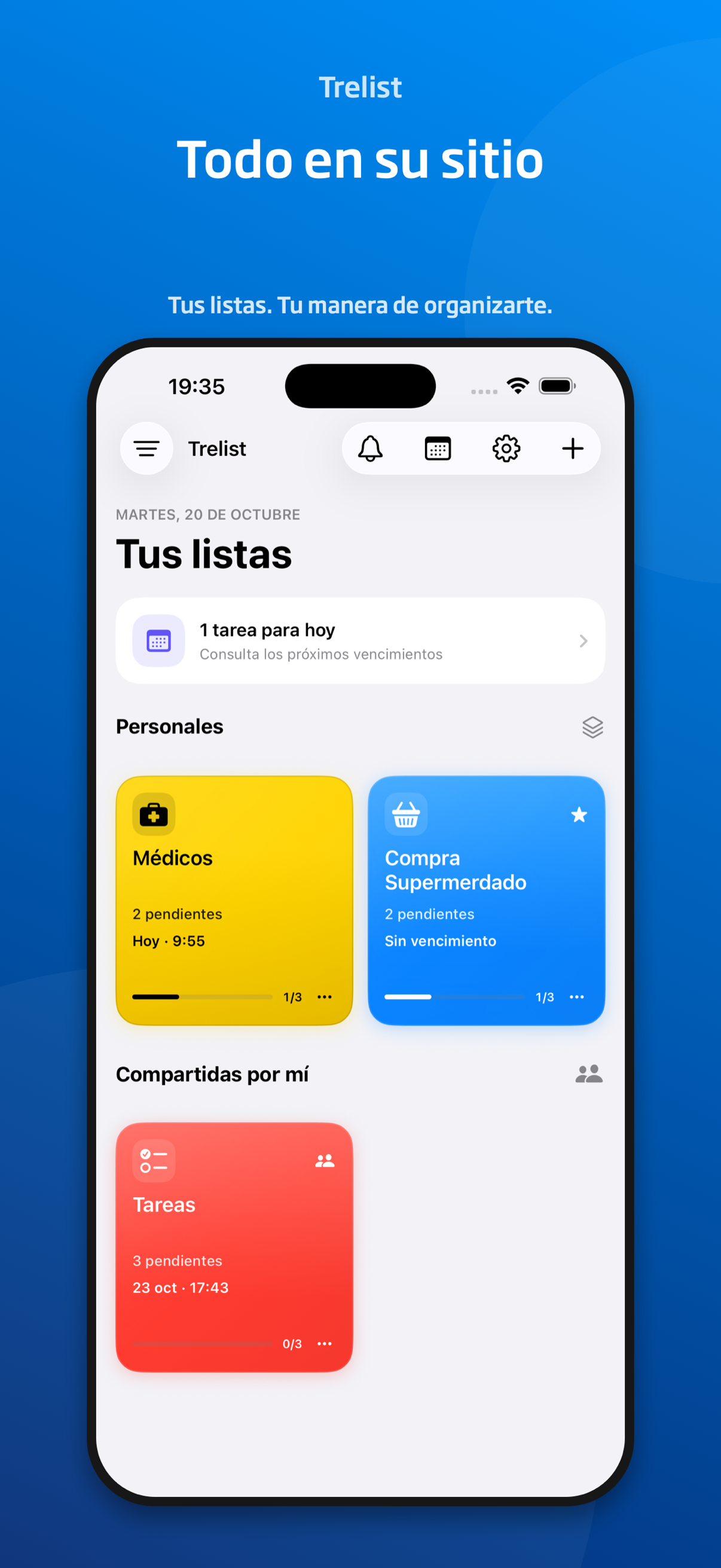
Shopping, household tasks, errands or personal projects. Keep different plans separate and check each list’s progress.
Share lists with iCloud and work on the same items. See your own lists alongside the ones you share or receive.
Add the details you don’t want to forget to each task. A note can save you from having to ask again.
View due dates in an agenda or a monthly calendar. Filter by today, the next seven days or all dates.
Schedule reminders at the due time or beforehand. The free version includes reminders at the due time and fifteen minutes before; Pro adds more options.
See upcoming due dates with widgets. Lists sync with iCloud to help keep your plans together.
02 / TAKE A LOOK INSIDE
Six real screens from Trelist.
App screenshots in Spanish.
See personal and shared lists separately and check outstanding items.
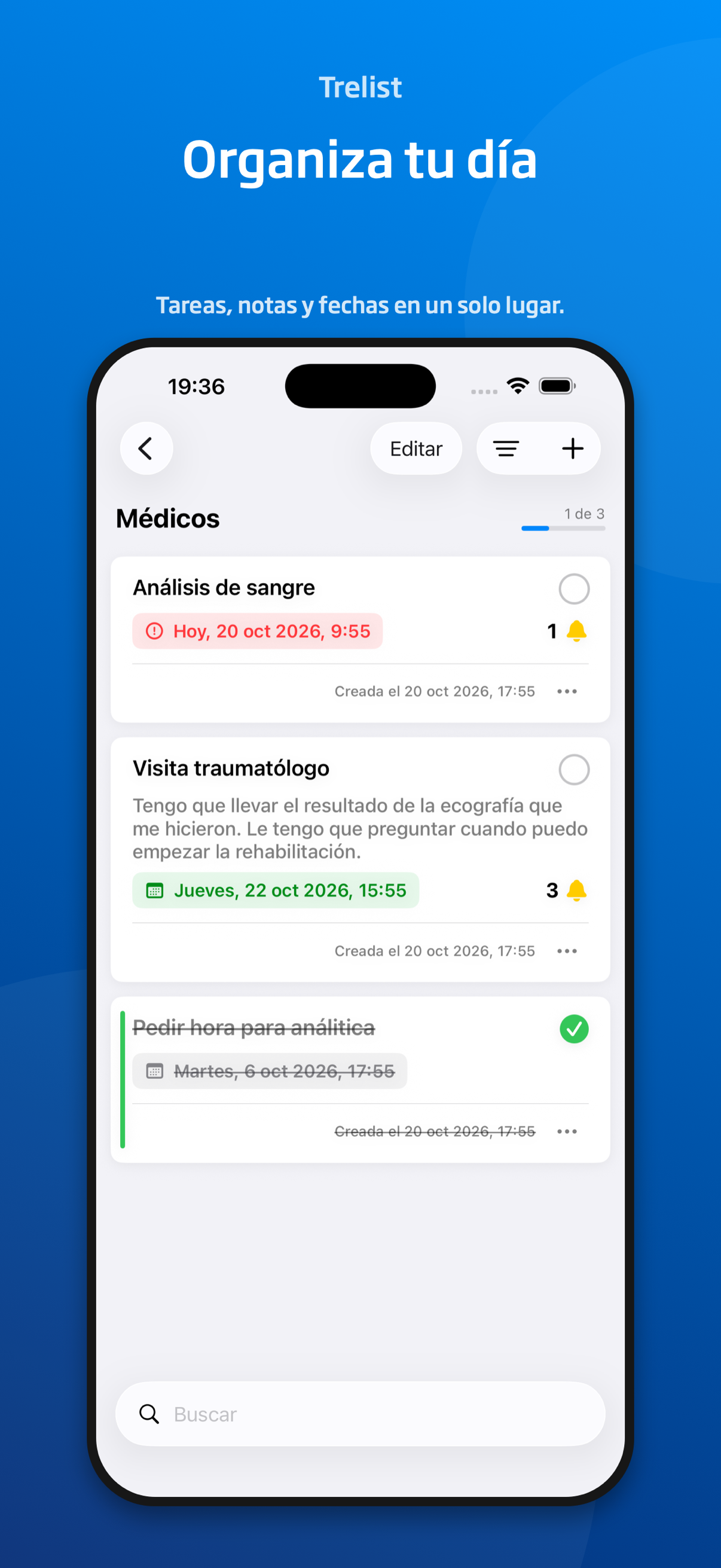
Add notes, dates and reminders. Tick off what’s done and move on to the next thing.
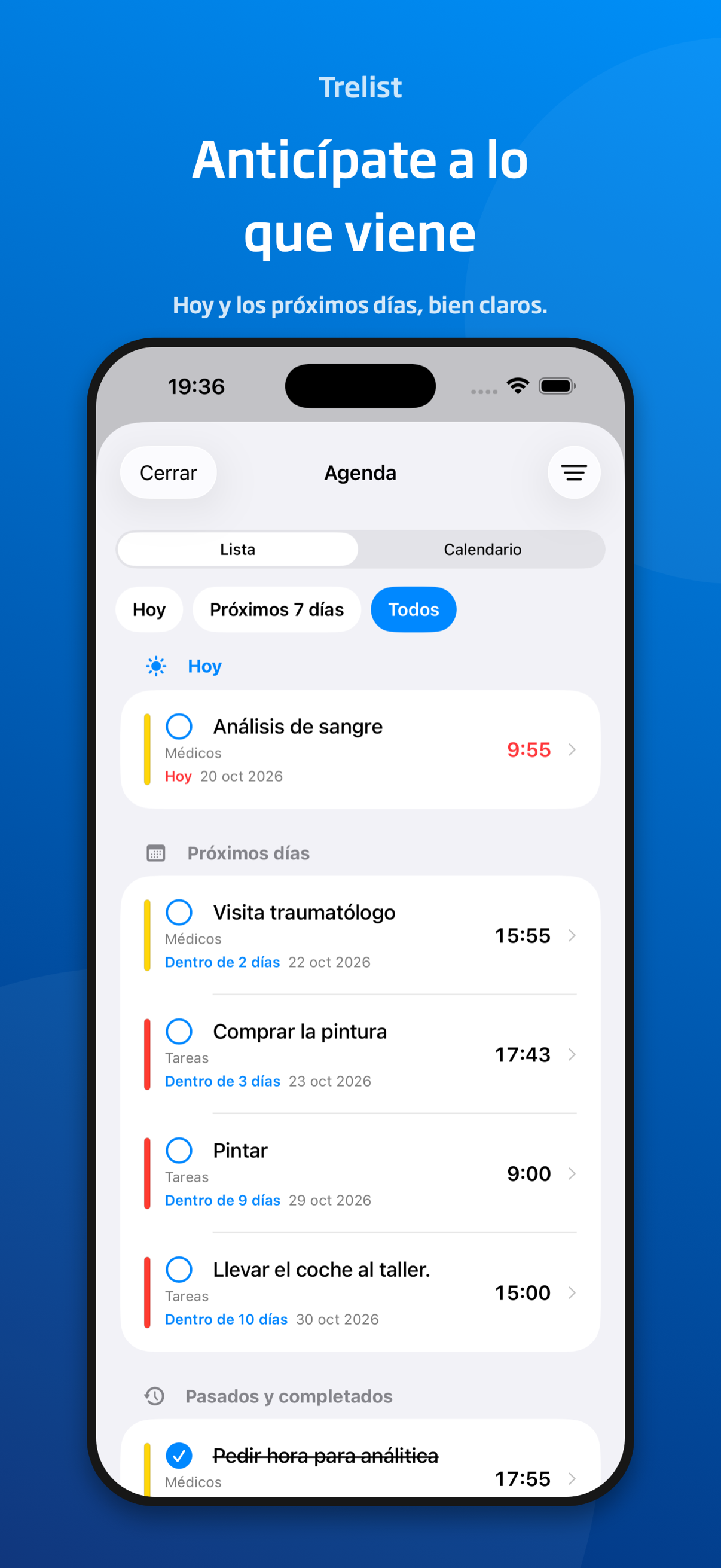
View tasks for today, the next seven days or all dates.
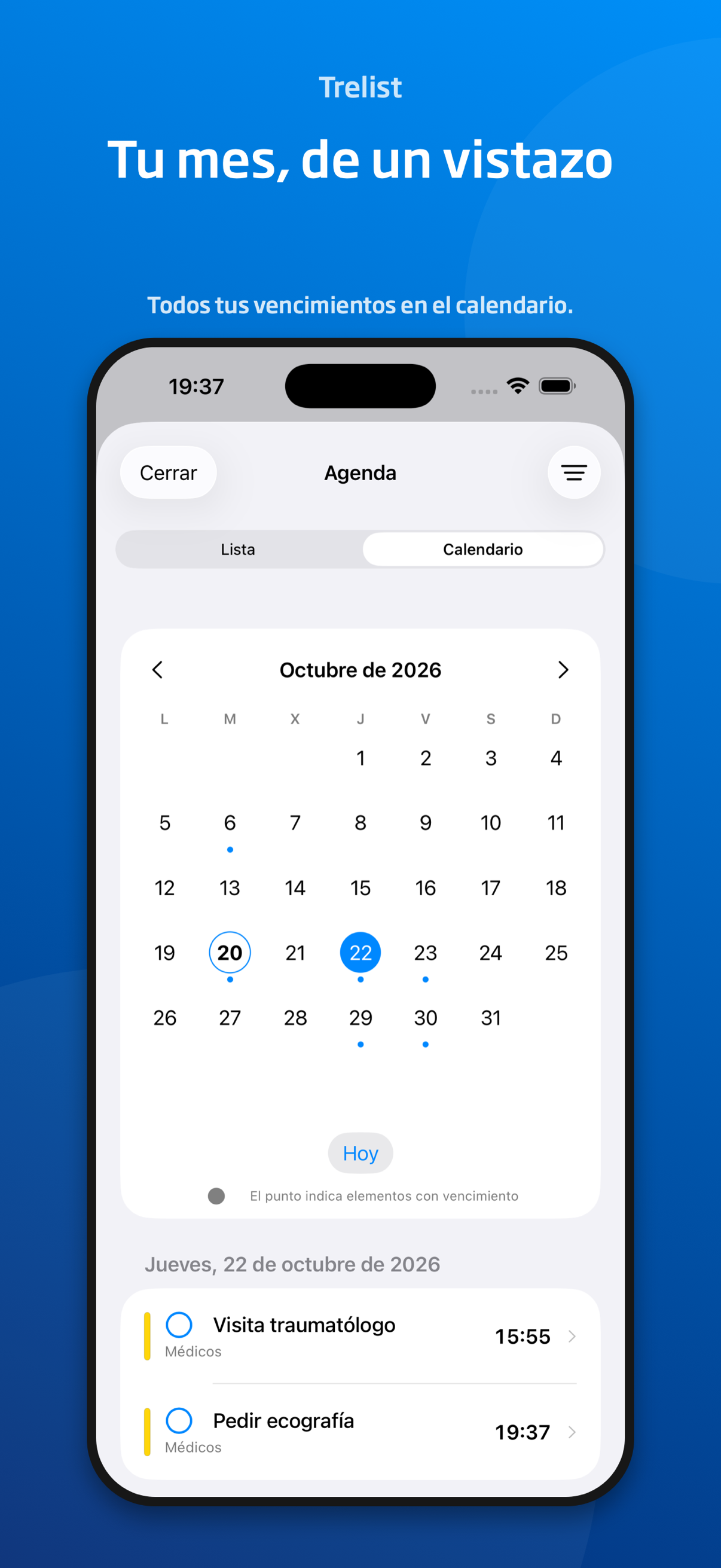
Find days with due items and see what’s planned for each date.
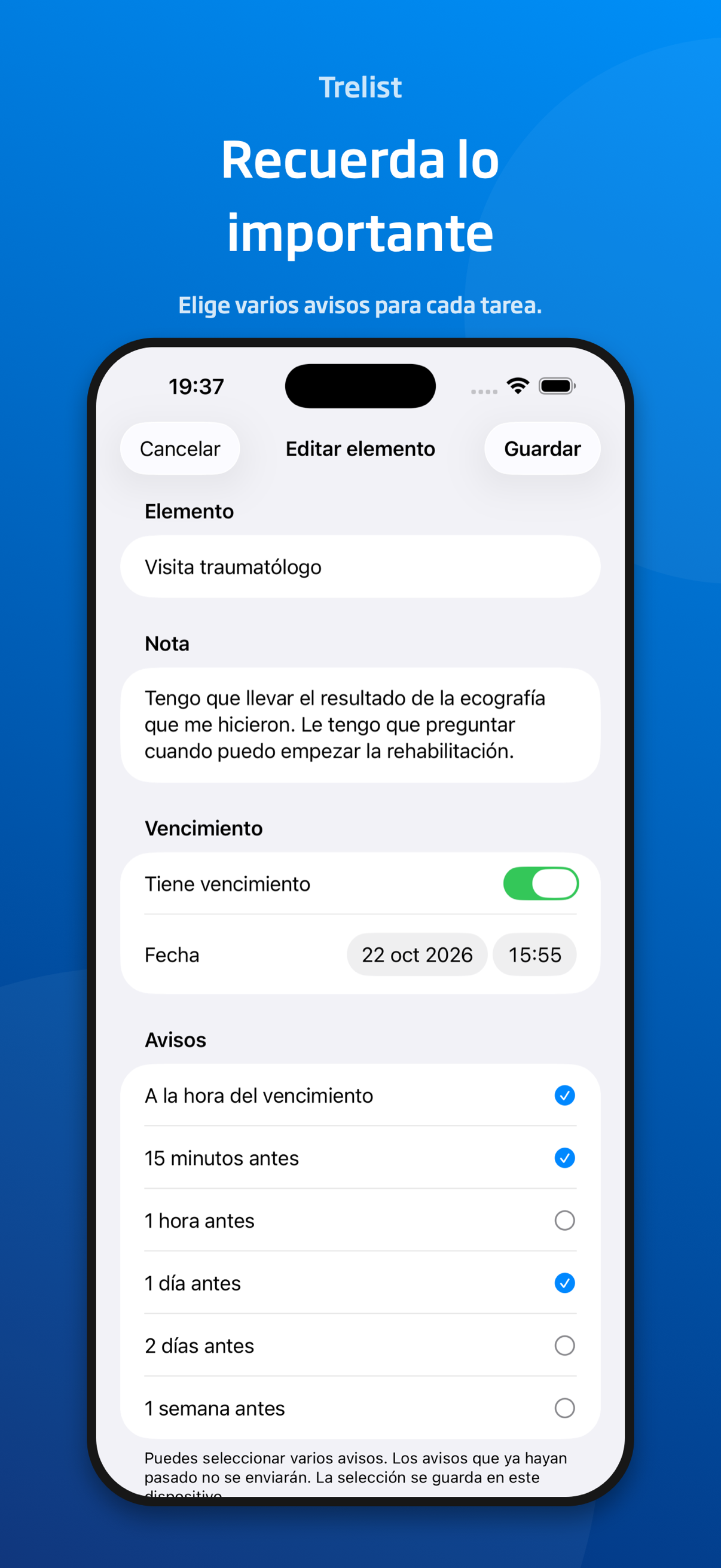
Set a due date and choose when to receive the reminders available with your plan.
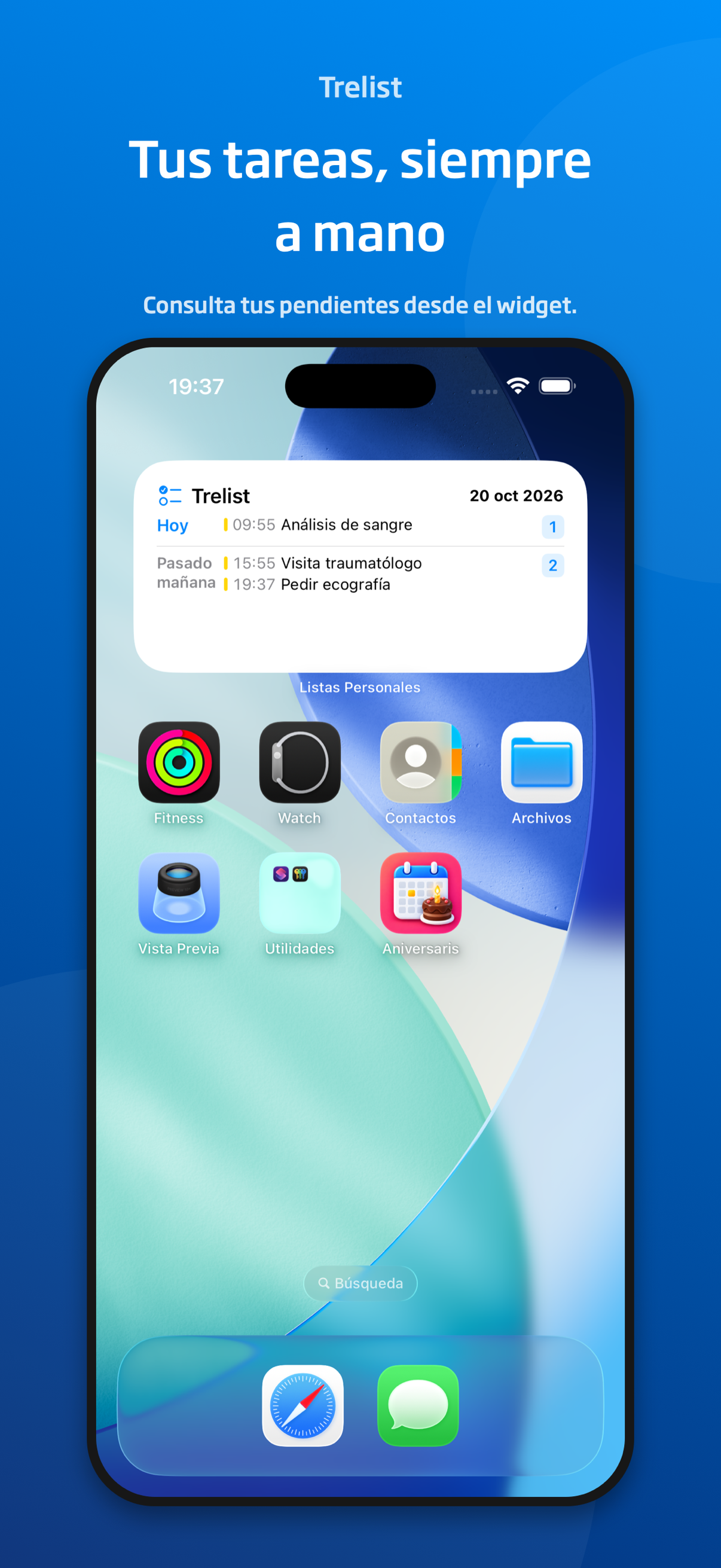
Check upcoming due dates with a widget on your iPhone home screen.
Scroll to discover all the screens
TODAY, TOMORROW AND WHAT’S NEXT.03 / GET ORGANISED YOUR WAY
A shopping list everyone can check. The week’s errands. A project’s tasks. You choose what to add and who to share it with.
Name your list and add the items and notes you need.
Add due dates and reminders to know what’s next.
Share the list with iCloud and tick things off together.
04 / MORE ROOM TO GET ORGANISED
Start with the free version and expand your options with Trelist Pro: more lists, more sharing and more control over reminders and personalisation.
Trelist PROCheck the current price in the app. Apple confirms the purchase, and it can be restored with the corresponding Apple Account.
Read the terms of useSHARE ONLY WHAT YOU CHOOSE
Your own lists and shared lists each have their place. Trelist uses iCloud to sync and share lists. For private lists, Pro adds an access check with Face ID.
Privacy policyYes. Trelist is the current name of the lists app: a place to organise tasks, add reminders and share lists with others.
You can have up to three lists of your own and share one, with unlimited tasks and notes, due dates, reminders at the due time and fifteen minutes before, and iCloud sync. Lists other people share with you don’t count towards these limits.
No. People invited to your lists don’t need Trelist Pro. With Pro, you can share all your lists. Sharing requires iCloud to be available and set up.
No. Trelist Pro is a one-time purchase, with no subscription. Check the current price in the app before confirming your purchase with Apple.
Yes. You can select the available reminders. Pro also lets you combine reminders one hour, one day, two days and one week before the due time.
Trelist Pro includes Face ID protection for private lists. This option adds an access check within the app.
FROM “NEED TO DO” TO “ALL DONE”
Trelist · Personal and shared lists for iPhone
Contact and support